How to Make Explainer Videos with AI
Learn how to make explainer videos with AI for SaaS, onboarding, and education. A step-by-step guide with prompts and tips. Start free on Ambience AI.
An explainer video turns a complicated idea into something anyone can follow in under a minute, which is why SaaS teams, educators, and onboarding specialists reach for the format again and again. The catch has always been production, since scripting, storyboarding, animating, and editing take days and a real budget. With AI, you can go from a rough concept to a polished explainer video in minutes on Ambience AI, no animation software or film crew required. This guide walks you through the whole process, from choosing a format to writing prompts that make your message land.
🎬 Why Explainer Videos Work
People remember a clear story far better than a wall of text, and motion holds attention long enough for the point to sink in. That is what makes explainer videos so effective for products, lessons, and welcome flows. AI puts that same power in reach of every creator, whether you run a startup, teach a course, or support new customers.
Clarity
Complex ideas made simple
A good explainer strips an idea down to its core and shows it in action. Visuals and pacing do the heavy lifting, so your audience understands the what and the why without rereading a single sentence.
Speed
Concept to finished video in minutes
Skip the storyboard and the animation timeline. Describe the scene you want, and an AI video generator renders it for you. That turnaround lets you ship an explainer the same day you write the script.
Versatility
One workflow for many use cases
The same process powers a product demo, a course lesson, and an onboarding walkthrough. You adjust the prompt and the tone, and the platform handles the rest.
🧩 Types of Explainer Videos You Can Make with AI
Explainer videos share a goal, which is to make something clear, yet each use case has its own rhythm. Here are the formats creators build most often.
- SaaS product explainers: Show what your software does and the problem it solves in 30 to 60 seconds. The AI Explainer Video Maker is tuned for exactly this, turning a feature list into an animated story.
- Customer onboarding videos: Walk new customers through setup, first steps, and key features so they reach value faster. Start with the customer onboarding video maker to build a friendly welcome flow.
- Educational explainers: Break a concept, process, or lesson into simple visual steps for students and self-learners. The education video maker helps you turn any topic into a clear, watchable lesson.
🛠️ What You'll Need
Before you start, gather a few basics so the process stays smooth.
- A free Ambience AI account.
- A one-line message or core idea for your explainer, such as the feature, concept, or process you want to clarify.
- A short script or a few key points you want the video to cover.
- Optional product screenshots, diagrams, or brand images if you want to animate something specific.
🎨 How to Make an Explainer Video with AI, Step by Step
Follow these steps to create your first explainer video from scratch.
Step 1: Create your account
Create a free account to get started with free credits. New creators can explore image and video generation without a subscription.
Step 2: Choose your format and starting point
You have two easy paths to an explainer video:
- Text to video: Open the AI Video Generator and describe the scene you want. This is ideal for concept explainers, abstract processes, and clean animated backgrounds.
- Image to video: Create a still with the AI Image Generator or upload a product screenshot, then animate it. This works well when you want to bring a specific interface, diagram, or character to life.
For a longer explainer with several beats, the AI Story Video Maker stitches multiple scenes into one narrated sequence.
Step 3: Write a script-driven prompt
Start from your core message, then describe the subject, the setting, the mood, and the motion you want. Keep each scene focused on a single idea so the visuals stay clear. Think about how the video reads with the sound off, since many viewers watch that way, and plan a strong opening frame that signals the topic right away.
Step 4: Generate and refine
Render your clip, review it, and adjust the prompt if the framing or pacing needs work. Generate a few variations so you can pick the version that explains your idea most clearly.
Step 5: Add voiceover, music, and captions
Layer in narration or a soundtrack with the AI Audio Generator to give your explainer a professional finish. Add on-screen captions for the sound-off crowd, then export and share your video wherever your audience is.
💡 Explainer Video Prompt Examples
Great explainers start with a clear, specific prompt. Here are prompts you can copy and adapt for common goals, each one shown with the clip it produced.
One habit worth building early: if your scene does not need words on screen, say so in the prompt. Video models render invented labels as garbled glyphs, and a single misspelled word undoes an otherwise clean shot. Asking for "no labels or writing anywhere" is the difference between the two dashboard clips we generated for this post.
SaaS Product Explainer:

Generated with Seedance 2.0. The no-labels instruction keeps the UI readable instead of gibberish.
Prompt: Clean animated dashboard visualization on a soft violet gradient, abstract bar groups and a line curve sliding into place, modern minimal tech aesthetic, no labels or writing anywhere, slow push-in
Customer Onboarding:
A friendly welcome scene with a simple checklist appearing step by step, soft rounded shapes and warm brand colors, each item checking off with a gentle bounce, approachable and encouraging tone, smooth left-to-right motion
Educational Explainer:
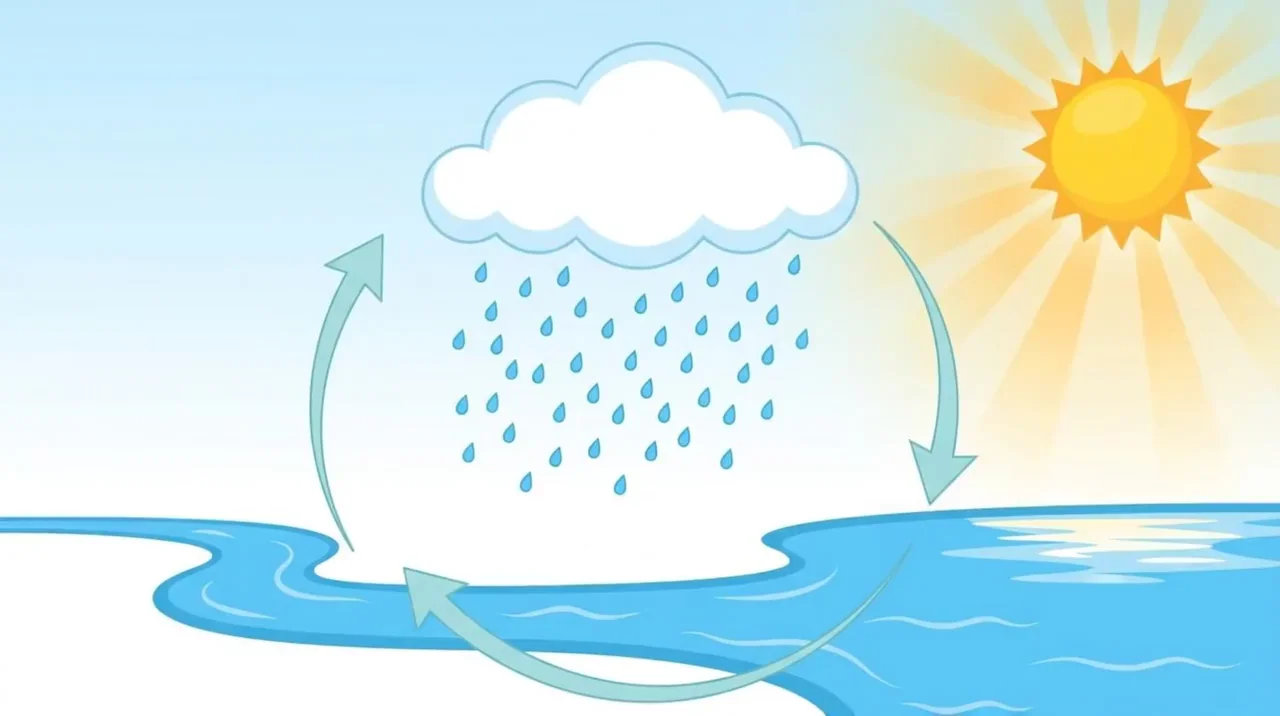
Generated with Kling 2.1 Pro. Add your labels afterward, where you control the spelling.
Prompt: A bright classroom-style water cycle illustration with no words anywhere: a glowing sun, a cloud releasing raindrops, a winding river, and plain unlabeled arrows circling between them, gentle pan
Presenter-Led Explainer:
Not every explainer is animated. When you want a person delivering the message, a native-audio model generates the performance and the voice together, so there is no separate voiceover step.
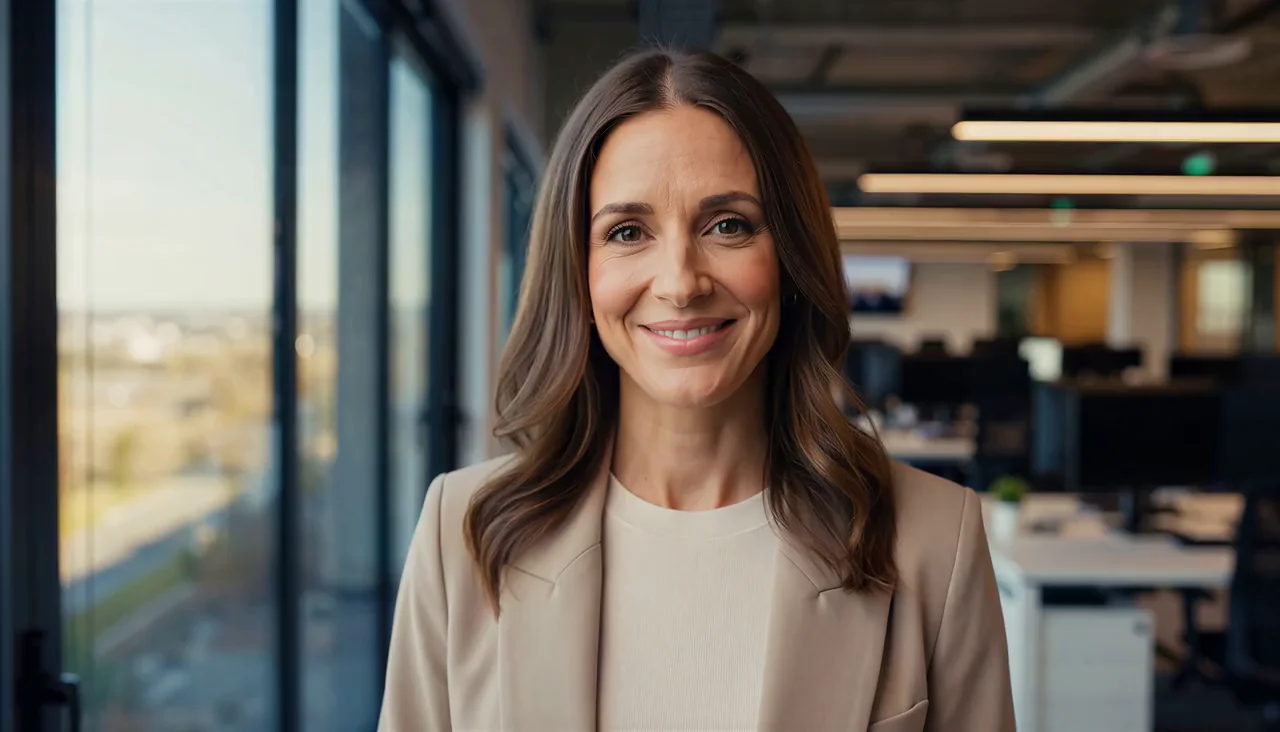
Generated with MiniMax H3, including the spoken line. Tap for sound.
Prompt: A friendly presenter in a bright modern office speaks to camera, medium close-up, soft window light, natural documentary look. She says: "Here is the fastest way to explain your product."
Keep each spoken line short, around a dozen words, and split longer scripts into separate quoted lines with an action beat between them.
Concept and Process:
Abstract flowchart of a simple process, glowing nodes linked by animated lines lighting up in sequence, dark background with vibrant accent colors, sleek and futuristic feel, smooth reveal of each step, subtle floating motion
✅ Best Practices for AI Explainer Videos
Small creative choices make a big difference in how your explainer lands.
- Lead with the problem: Open on the pain point or question your audience cares about, so they stay to hear the answer.
- One idea per scene: Keep each shot focused on a single point, and let the sequence build the full story.
- Design for sound off: Add captions or on-screen text so your message lands even when the audio is muted.
- Keep it short: Aim for 30 to 60 seconds for most explainers, and save longer edits for deep tutorials.
- Stay on brand: Reuse consistent colors, motion, and tone across your videos so your whole library feels like one voice.
- End with one clear action: Tell viewers exactly what to do next, whether that is sign up, start a trial, or move to the next lesson.
🌟 Why Make Explainer Videos on Ambience AI
Ambience AI brings image, video, and audio generation together in one creative workspace, so you can build a complete explainer video without juggling separate apps. You describe what you want, our assistant expands your prompt, and the platform handles the heavy lifting.
That makes Ambience AI a practical explainer video maker for creators who want professional results on a small budget. You can start free, test ideas quickly, and scale up only when you find what works. See the pricing page for full plan details, and browse community creations for inspiration.
🔗 More AI Tools for Explainer Videos
Round out your explainer workflow with the rest of the Ambience AI toolkit.
- AI Explainer Video Maker: Turn any complex topic into a simple animated explainer.
- AI Video Generator: Create short clips from text prompts or images.
- AI Story Video Maker: Build multi-scene explainers with narration and music.
- AI Image Generator: Create diagrams, screenshots, and stills to animate.
- AI Audio Generator: Add voiceover and music for a professional finish.
- How to Turn Slides into Videos with AI: Repurpose an existing deck into a polished explainer.
- What Is an AI Product Video: Learn how product videos and explainers fit your marketing.