Seedance 2.0: AI Video with Native Sound and Dialogue
Seedance 2.0 is here on Ambience AI: 15 second videos that arrive with their own sound, lip-synced dialogue, an HD tier, and multi-image references.
Seedance 2.0 is now available on Ambience AI, and it changes what comes back when you generate a video. Every clip before this one arrived silent, and giving it a voice meant generating audio separately and lining the two up. Seedance writes the sound itself: dialogue in your characters' mouths, room tone, footsteps, and the hiss of an espresso machine, all produced in the same pass as the picture.
🚀 What's New in Seedance 2.0
Native Sound and Lip-Synced Dialogue
Put words in a character's mouth and hear them said
Quote a line in your prompt and the character speaks it, with lip movement that matches. Ambient sound comes along with it: crowd murmur, wind through a canopy, a river behind a conversation. You are directing a scene rather than assembling one.
15 Second Clips, Plus an HD Tier
Three times the runway of our standard model, at 720p or 1080p
Seedance generates 15 seconds in a single clip, long enough for two lines of dialogue and a closing beat. Seedance 2.0 HD renders the same brief at 1080p when the clip is headed somewhere it will be seen large.
References for Consistent Characters
Bring up to nine images, three videos, and three audio clips into one generation
Reference generations let you carry a character, a place, or a look across clips instead of re-describing it every time. Cite your uploads in the prompt as @Image1, @Video1, and @Audio1, and Seedance builds the scene around them. Reference generations are available on the Team and Business plans.
✨ See What Seedance 2.0 Can Create
Every clip below was generated with Seedance 2.0 on Ambience AI. Turn the sound on: the audio is part of the generation, not something we added afterward.

Two quoted lines, spoken and lip-synced, with cafe ambience underneath. Text to video, no reference images.
Prompt: Shot 1: A warm painterly illustrated barista, already sliding a cup across the sunlit bar, medium close-up, locked camera, facing camera. Soft cheerful delivery, realistic lip articulation, no exagger...
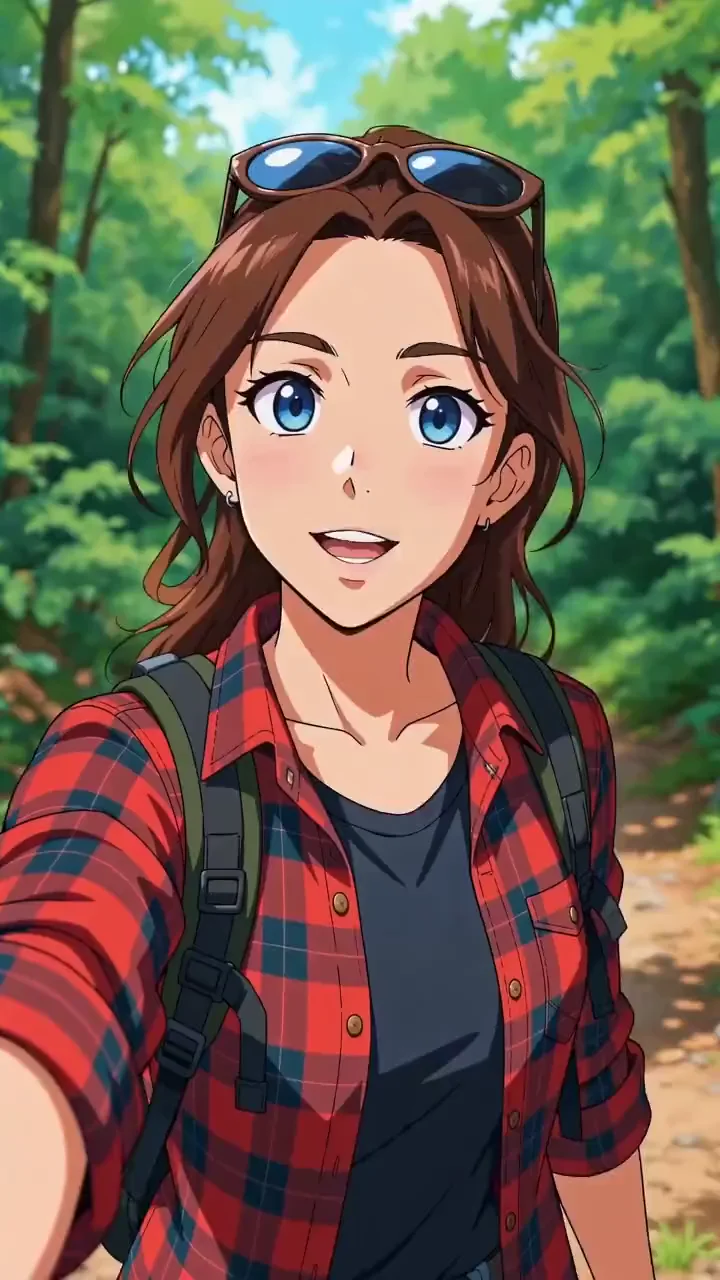
A reference generation: one character image in, a vertical selfie video out, with the character intact and the dialogue verbatim.
Prompt: Shot 1: Image 1's character as the subject, a hiker in a red flannel shirt, already walking a lush anime forest trail, phone raised in selfie framing. She says "You have to do this hike." Shot 2: She ...
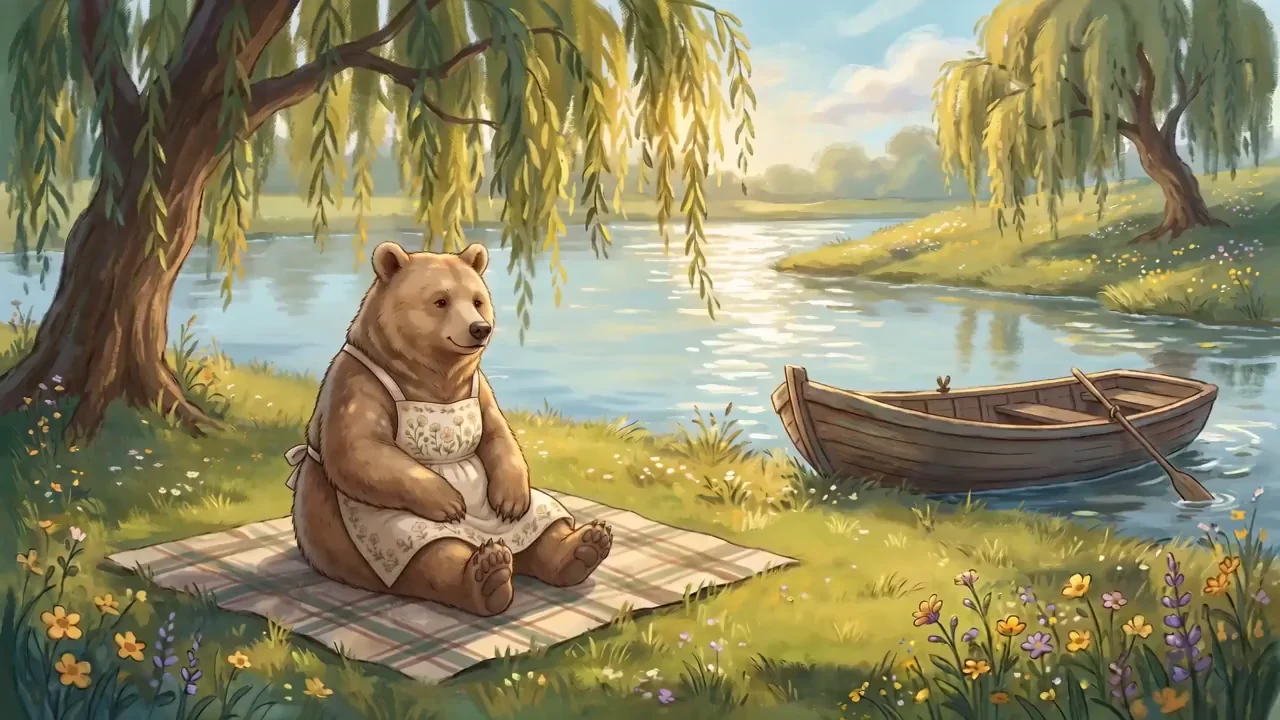
Two references, one scene: a character from the first image placed in the setting from the second, with birdsong and river underneath.
Prompt: The bear from @Image1 sits by the riverbank from @Image2 and waves hello at the camera. Gentle birdsong, a soft river current, warm storybook atmosphere.
🎨 How to Use Seedance 2.0
Seedance 2.0 lives in the model selector of our AI Video Generator.
Getting Started
- Open the video generator and pick Seedance 2.0 in the model selector.
- Describe the scene, then quote the dialogue you want spoken, in double quotes.
- Add a line describing the mix, like "Dialogue clean and prominent, ambient subtle."
- Generate. A clip comes back in about two to three minutes, sound included.
Pricing
Seedance 2.0 is 900 credits whether you start from text, an image, or reference files. Seedance 2.0 HD renders the same three at 1080p for 1,950 credits. Every generation is 15 seconds, and reference generations are available on the Team and Business plans. See our pricing page for plan details and credit amounts.
💡 Best Prompts for Seedance 2.0
The difference between a clean take and a garbled one is almost entirely in how you write the dialogue. We ran a prompting study on this model, and these three rules did the heavy lifting. Our Seedance prompting guide has the full set.
Keep quoted lines short, and give each line its own quote:
Shot 1: A weathered fisherman in yellow oilskins coiling rope on a dawn-lit trawler deck, medium close-up, locked camera, facing camera. Gravelly warm delivery, realistic lip articulation, no exaggerated mouth opening. He says "The sea gives you what you earn." Shot 2: He grins and says "Today we earned plenty."
Two short quotes come back verbatim. One long quote of twenty-plus words turns to mush partway through, no matter how long the clip is.
Label shots instead of timing them:
Shot 1: A florist trimming stems at a market stall, warm morning light, locked camera. She looks up and says "These came in this morning." Shot 2: She wraps the bouquet in paper and says "They will last all week." Closing: she sets the bouquet on the counter in a held frame for the final two seconds.
Shot labels and a directed closing beat pace the clip. Second-by-second timings do not hold, and without a closing beat the last seconds drift.
Steer the mix, then suppress what you do not want:
A luthier in a workshop testing a finished guitar, medium close-up, warm lamplight. He plays two bars, looks up, and says "Listen to that sustain." Dialogue clean and prominent, ambient workshop subtle. - No music, no library audio, no voiceover narration, no on-screen text, no subtitles
Without that last line, Seedance will happily score your clip with stock music and burn in captions.
🔍 Technical Specifications
- Clip length: 15 seconds
- Resolution: 720p on Seedance 2.0, 1080p on Seedance 2.0 HD
- Audio: native, generated with the video (dialogue, ambience, and effects)
- Inputs: text, a first frame image, or reference files
- References: up to nine images, three videos, and three audio files per generation, on the Team and Business plans
- Generation time: about two to three minutes, four to five for reference generations
🌟 Why Create with Seedance 2.0 on Ambience AI
Seedance sits alongside our other video models rather than replacing them. WAN 2.1 is fast and cheap for silent atmosphere, Kling 2.1 Pro is our cinematic ten second model, and Seedance is the one you reach for when the clip needs to talk. All of them share the same prompt box, the same library, and the same credits, so switching models is a dropdown rather than a new tool.
Everything you make stays yours to publish, and every generation lands in your library with its prompt attached, so a take you like is a starting point rather than a lucky accident.
Also new: MiniMax H3, which generates 2K clips with native sound.
🔗 More AI Video Tools
- Seedance Prompting Guide for the full set of dialogue and audio rules
- MiniMax H3 Prompting Guide for our other native-audio model
- AI Video Generator to start a clip
- Kling Prompting Guide for cinematic silent video
- Best AI Video Tools in 2026 for how the landscape compares