How to Create a Video Pitch Deck with AI
Learn how to create a video pitch deck with AI. Generate polished slide visuals, animate them into video, and pitch with confidence, free on Ambience AI.

A static pitch deck waits for you to be in the room. A video pitch deck travels on its own, so an investor can feel your story from an inbox, a link, or a phone on a Sunday night. AI now does the design and motion work that used to need a studio, which means a founder with a clear idea can ship a polished pitch video in an afternoon.
This guide is about the pitch specifically: the seven scenes investors expect, how to time a metric so the number lands with the narration, and how long the cut should run depending on whether you are sending it cold or following up after a meeting.
🎬 Why Build a Video Pitch Deck
Investors see hundreds of flat decks. A video version carries your voice, your pacing, and your energy, so the story lands the same way whether you present it live or send it ahead of the meeting.
Stand Out in the Inbox
A video opens where a PDF gets ignored
A slide file asks a busy investor to download, scroll, and imagine your narration. A short video plays the moment they tap it, so your hook, your traction, and your ask reach them while their attention is still on you.
Control the Story
Pacing and emphasis carry your intent
In a live room you decide what people look at and for how long. A pitch video keeps that control, timing each number and claim to the visual that proves it, so nobody skims past the slide that matters most.
Survive the Forward
Your pitch travels without you
Decks get forwarded to a partner who was not in the room. A video carries the framing you would have given in person, so the second reader gets your version of the story rather than their own reading of your slides.
🧭 How to Create a Video Pitch Deck with AI
Investors read a deck in a fixed order, so build to that order rather than to your product's org chart. Seven scenes covers it: problem, solution, product, market, traction, team, ask.
Getting Started
Create a free account
to start with free credits, then follow these steps:
- Outline your slides. Break the pitch into scenes: problem, solution, product, market, traction, team, and the ask. Give each scene one clear idea and a short headline so it reads in a single glance.
- Generate slide visuals. Use the AI Pitch Deck Image Generator for title, market, and traction frames, and leave deliberate empty space where your number or headline will sit.
- Animate the scenes that carry weight. Not every slide needs motion. Animate the traction reveal and the closing ask with the AI Video Generator; let the team slide stay still so the movement means something.
- Write narration to the number, not the slide. Draft each line so the metric is spoken at the moment it appears. A figure that arrives two seconds early reads as a caption; one that lands on the beat reads as proof.
- Sequence and export. Order the seven scenes with the AI Story Video Maker, then watch it once at double speed. If the ask is unclear at 2x, it is unclear at 1x.
Pricing
Getting started is free. Every new account starts with 100 credits, and a seven-scene pitch is a small enough job to build one on the free grant if you are selective about which scenes you animate. Standard image generations cost 25 each. See the pricing page for plans and credit packs.
✨ Example Slide Visuals
Strong pitch slides start with a strong image. Here are real slide visuals generated on Ambience AI, the kind of frames you would animate into scenes for a video pitch deck.
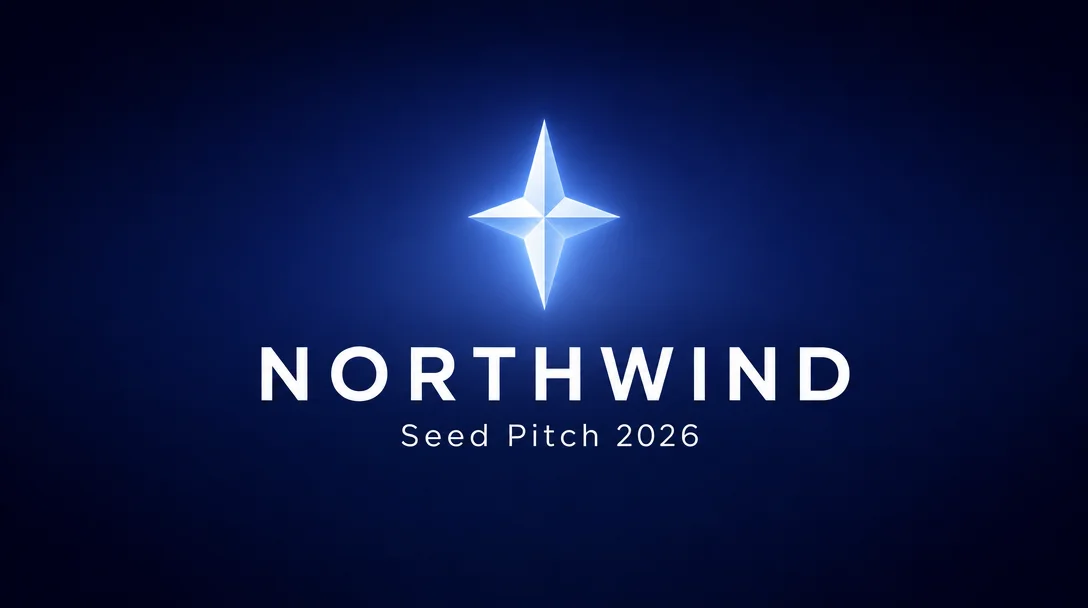
A title slide sets the tone in two seconds. Keep it to your name, your one line, and a single confident mark.

A momentum visual makes traction feel inevitable. Use an upward, forward composition behind your growth numbers.

A clean product hero lets the interface speak. Float the screen on a calm background so the feature you care about stays the focus.
📈 Timing the Traction Reveal
The traction scene is the one investors rewind. Build the bars rather than cutting to them finished, and script the narration so your number is spoken as the last bar lands.

Generated with Seedance 2.0. Ask for no labels and add your real numbers afterward, where you control the spelling.
Prompt: Cinematic pitch deck metric reveal, abstract ascending bars building in glowing violet against a deep dark studio background, slow push-in, no labels or writing anywhere
Note the empty space above the bars. That is deliberate: it is where your headline number goes, and generating it clean means you are never fighting an invented figure the model wrote for you.
💡 Best Prompts for Pitch Deck Slides
Great slide visuals start with specific prompts. Describe the scene, the palette, and the mood in plain language, and leave room for your headline text. Here are prompts you can copy for common pitch moments:
Title and Vision Slides:
A premium startup title slide, deep navy to indigo gradient background, a single glowing geometric logo mark centered above generous empty space for a company name, calm and confident mood, minimal and modern.
Traction and Growth Slides:
An abstract momentum visual for a growth slide, glowing connected nodes and flowing ribbons ascending diagonally, deep indigo and electric violet palette, clean negative space on the left for a headline and a large number.
Product Slides:
A modern product hero for a pitch slide, a sleek translucent app dashboard floating above a soft studio surface, deep blue and teal accent light, generous negative space, premium and trustworthy tone.
Market and Closing Slides:
A wide horizon scene at golden hour for a closing slide, calm and hopeful mood, plenty of open sky for a short call to action headline, cinematic and inviting atmosphere to end the pitch on.
✨ Best Practices for a Winning Pitch Video
- Match the length to the send. A cold outreach video earns about 90 seconds. A follow-up after a real meeting can run three to four minutes, because the investor has already decided you are worth the time.
- Time the reveal. Put your key metric on screen on the same beat the narration says it. Early reads as a caption, late reads as an afterthought.
- Give the team scene faces, not titles. Investors underwrite people. A held shot of the founders beats a grid of headshots with job titles under them.
- Make the ask a slide, not a sentence. The amount, the round, and what it buys should be readable with the sound off.
- Close on the data room. End on a single frame with one link and nothing competing for the click, so the next step is obvious when the video stops.
- Keep one look across scenes. Reuse the palette and framing so seven scenes read as one story rather than seven prompts.
🌟 Why Create Your Pitch Video on Ambience AI
Ambience AI brings imagery, video, and audio into one creative flow, so you can build an entire pitch video without stitching together separate apps. You describe each scene, generate the visual, animate it, and add narration where you need it, all in one place.
That speed matters when a raise is moving quickly. When a polished scene takes minutes instead of a day, you can tailor the deck for each investor, test a sharper hook, and keep the story current as your traction grows. Browse the Explore gallery for inspiration, and read our companion guide on how to turn slides into videos with AI.
🔗 More AI Tools for Your Pitch
Build your full pitch workflow with these tools and resources:
- AI Pitch Deck Image Generator: Title, market-opportunity, and traction frames built for investor decks.
- AI Pitch Video Maker: Go straight to a motion pitch when you do not need a slide deck first.
- AI Story Video Maker: Sequence your scenes, narration, and music into one finished pitch video.
- Turn Slides into Videos with AI: A step-by-step companion guide to animating any deck.
- Explore Community Creations: See how other founders framed their traction and closing scenes.
Most decks fail on the forward, not in the room. A video pitch deck is the version that still argues for you when you are not there to argue for yourself.