AI Design Rules for YouTube Thumbnails
Learn the AI design rules for YouTube thumbnails that earn the click. Contrast, focal points, big text, and prompts you can copy, free on Ambience AI.
Your thumbnail is the ad for your video. It decides, in a crowded feed and a fraction of a second, whether a viewer taps or scrolls past, and that single choice shapes how far your video travels. AI now lets you design that first impression in seconds, so the only thing standing between you and a higher click-through rate is knowing the rules.
This guide covers the AI design rules for YouTube thumbnails that earn the click, with real examples and prompts you can copy on Ambience AI.
🎯 Why Thumbnail Design Decides the Click
A great video with a weak thumbnail stays invisible. The thumbnail sets the expectation, so a clear, bold design tells viewers what they will get and why it is worth their time.
Contrast Wins the Scroll
High contrast pulls the eye out of the feed
Feeds are noisy, so a thumbnail that separates cleanly from its background gets noticed first. Bright subjects against dark scenes, complementary colors, and strong edges make your frame pop next to muted competitors.
One Clear Focal Point
A single subject reads instantly at small sizes
Most viewers see your thumbnail the size of a stamp. One dominant subject, framed with breathing room, reads in an instant, while a busy collage turns to mush and gets skipped.
Text You Can Read at a Glance
Three or four bold words add a second hook
Short, high-contrast text gives viewers a reason to tap without repeating the title. Keep it to a few big words with a heavy weight and a clean outline so it stays legible on a phone.
📐 The Core Design Rules for YouTube Thumbnails
Strong thumbnails follow a handful of repeatable rules. Keep these in mind before you generate or edit a frame:
- Design for the stamp, not the screen. Preview your thumbnail small, because that is how most people first see it. If it does not read at that size, simplify.
- Lead with contrast. Separate your subject from the background with light, color, and depth so the important part jumps forward.
- Pick one focal point. Give a single subject the spotlight and the space around it, rather than competing elements fighting for attention.
- Keep text short and huge. Three or four words in a bold, outlined typeface beat a full sentence every time.
- Use emotion and direction. Expressive faces and clear eye lines or pointing gestures guide attention and invite curiosity.
- Respect the timestamp corner. Keep key elements out of the bottom-right, where the duration badge covers your design.
- Stay consistent with your brand. Reuse a palette, a font, and a framing style so your thumbnails feel like a recognizable set.
✨ Thumbnail Examples That Earn the Click
Here are real thumbnails generated on Ambience AI, each one built around the rules above.

Contrast and emotion working together. The blazing yellow text separates from the dark background, and the surprised expression adds a human hook that begs a click.
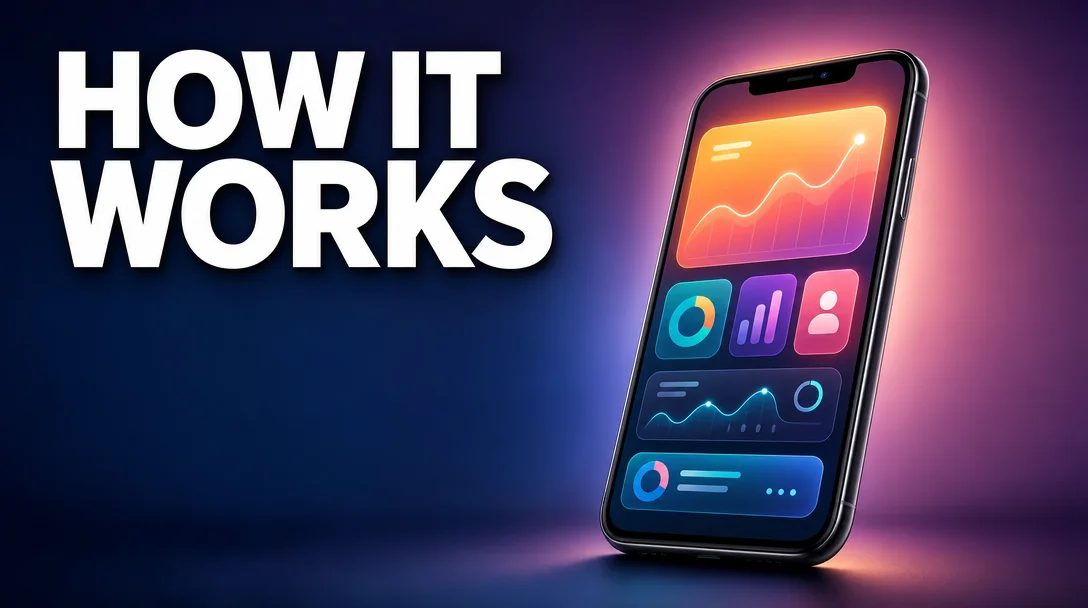
One focal point, plenty of space. A single glowing device carries the frame, and the short headline sits in clean negative space so nothing competes for attention.

Big text and bold color blocking. Three words fill the frame, and the split teal and orange background reads clearly even at a tiny size.
🎨 How to Design a Thumbnail with AI
You do not need Photoshop or a designer to apply these rules. Describe the frame you want, and AI generates it.
Getting Started
Create a free account
to start with free credits, then follow these steps:
- Start with your hook. Decide the one idea the thumbnail must sell, and the few words, if any, that reinforce it.
- Open the thumbnail generator. Head to the YouTube Thumbnail Generator and describe your subject, the mood, the colors, and the exact text in quotes.
- Generate and compare. Create a few variations, then preview them small to see which one reads fastest and pulls the eye.
- Refine the details. Adjust the palette, the expression, or the composition with the AI Image Generator until the frame separates cleanly from the feed.
- Export and test. Ship your strongest option, watch the click-through rate, and let your analytics guide the next design.
Pricing
Getting started is free. Every new account starts with 100 free credits, so you can design and test a batch of thumbnails right away. Standard image generations cost 25 each, and you only spend credits on the frames you actually render. See the pricing page for full details on plans and credit packs.
💡 Best Prompts for YouTube Thumbnails
Great thumbnails start with specific prompts. Name the subject, the emotion, the palette, and the exact text you want in quotes so it renders sharp. Here are prompts you can copy:
High-Contrast Reaction Thumbnails:
A high-converting YouTube thumbnail, huge bold yellow text "GAME CHANGER" on the left, an excited person with a shocked expression on the right, deep dark background, dramatic rim lighting, ultra high contrast and saturated colors.
Clean Tutorial Thumbnails:
A clean tutorial thumbnail, bold white text "STEP BY STEP" in the upper-left with a subtle drop shadow, a single glowing product as the focal subject on the right third, blurred studio background, strong depth of field.
Minimal Big-Text Thumbnails:
A minimalist thumbnail with bold color blocking, large centered white text "TOP 5 TIPS", a diagonal split background in vivid teal and orange, one glossy 3D icon floating in the center, generous negative space.
Faceless Channel Thumbnails:
A cinematic faceless thumbnail, a dramatic single subject lit against a dark moody background, bold two-word headline "REAL STORY" in a heavy outlined font, rich color grade, high contrast and depth.
🌟 Why Design Thumbnails with AI on Ambience AI
Ambience AI puts imagery and thumbnail design in one place, so you can go from an idea to a finished, on-brand frame without opening an editor. You describe the subject, the text, and the mood, and generate options in seconds.
That speed changes how you work. When a thumbnail takes minutes instead of an evening, you can test several directions, match your design to the video's hook, and keep a consistent look across your channel. Browse the Explore gallery for ideas, and see how thumbnails fit a full social workflow in our guide on how to design Instagram Reels using AI.
🔗 More AI Image Tools
Keep building your thumbnail workflow with these tools and resources:
- YouTube Thumbnail Generator: Turn a text prompt into a bold, readable YouTube thumbnail in seconds.
- AI Thumbnail Generator: Thumbnails and covers for every other platform.
- AI Image Generator: Create subjects, backgrounds, and hero shots to refine any thumbnail.
- Design Instagram Reels Using AI: Apply the same design thinking to scroll-stopping vertical video covers.
- Explore Community Creations: Browse thumbnails and images from other creators for inspiration.
Master these design rules and pair them with AI generation, and every video you publish gets a first impression built to earn the click.