AI Brand Videos for Corporate Communication
Make brand and corporate communication videos with AI. A guide to culture, leadership, and recruitment videos, with prompts and best practices.
Corporate communication used to mean a memo, a slide deck, or an all-hands nobody could attend live. Video changed that, because a short clip carries tone, energy, and a human face in a way text never will. The catch was always production, since scripting, filming, and editing a single brand video took a crew, a budget, and weeks on the calendar. With AI, a communications team can go from a rough message to a finished video in minutes on Ambience AI, no film shoot required. This guide covers what corporate brand videos are, where they help most, and how to make one step by step.
🎯 What Is a Corporate Brand Video?
A corporate brand video is a short video a company uses to communicate with its own people or the wider world, from culture stories and leadership updates to recruitment and announcements. The goal is not to sell a product. It is to make a message land clearly, so employees, candidates, and customers understand what the company stands for and where it is headed.
AI puts that format in reach of every team, not just the ones with a studio. You describe the scene and the message, and an AI video generator renders it, so a small communications team can produce on a schedule that used to require an agency.
🎬 Why Video Works for Corporate Communication
A clear message spoken to camera, or shown in motion, holds attention far longer than a paragraph in an email. That is what makes video such a strong fit for internal and brand communication.
Clarity
One message, clearly delivered
Video pairs a voice, a face, and visuals so the point arrives whole. Your audience gets the tone and the intent, not just the words, which matters most for sensitive or motivating messages.
Speed
Message to finished video in minutes
Skip the crew and the edit bay. Describe the scene you want, and the platform renders it, so you can ship a timely update the same day the news breaks instead of a week later.
Reach
Watchable anywhere, on any screen
A short video travels through email, chat, an intranet, or a careers page, and it plays the same on a phone as on a boardroom screen. One asset reaches your whole audience wherever they are.
🧩 Types of Corporate Communication Videos You Can Make with AI
Corporate videos share a goal, which is to communicate clearly, yet each use case has its own tone. Here are the formats communications teams build most often.
- Culture and values videos: Show what the company believes and how it works day to day, so new hires and customers understand the character behind the brand.
- Leadership and executive messages: Deliver a quarterly update, a strategy shift, or a thank-you from a leader who cannot be in every room at once.
- Recruitment and employer brand videos: Give candidates a feel for the team and the mission before they ever apply. Pair the video with a promo video style edit for careers pages and job posts.
- Announcements and change communication: Explain a reorganization, a new policy, or a milestone in a calm, consistent way that reads better than a wall of text.
- Training and onboarding videos: Turn a process or a policy into a short lesson every employee can watch on their own time. Our step-by-step guide to AI training videos walks through that workflow in detail.
For product and go-to-market messages that sit closer to marketing, the AI Explainer Video Maker and our guide to what an AI product video is are the better starting points.
🛠️ What You'll Need
Before you start, gather a few basics so the process stays smooth.
- A free Ambience AI account.
- The core message in one or two sentences, such as the update, value, or invitation you want to communicate.
- A short script or the key points you want the video to cover.
- Optional brand elements, such as your colors, a logo image, or reference photos, if you want the look to match the rest of your communications.
🎥 How to Make a Corporate Video with AI, Step by Step
Follow these steps to create your first corporate communication video from scratch.
Step 1: Create your account
Create a free account to get started with free credits. New teams can explore image and video generation before choosing a plan.
Step 2: Choose your format and starting point
You have two easy paths to a corporate video:
- Text to video: Open the AI Video Generator and describe the scene and the message. This suits culture montages, abstract brand visuals, and clean animated backgrounds for lower thirds and titles.
- Image to video: Create a still with the AI Image Generator or upload a real photo, then animate it. This works well when you want to feature a specific office, product, or team image.
For a longer message with several beats, such as a leadership update with an intro, a main point, and a close, the AI Story Video Maker stitches multiple scenes into one narrated sequence.
Step 3: Write a script-driven prompt
Start from your core message, then describe the subject, the setting, the mood, and the motion you want. Keep each scene focused on a single idea so the message stays clear. Plan a strong opening frame that signals the topic right away, and think about how the video reads with the sound off, since many people watch muted at their desks.
Step 4: Generate and refine
Render your clip, review it, and adjust the prompt if the framing or pacing needs work. Generate a few variations so you can pick the version that communicates your message most clearly and matches the tone your company expects.
Step 5: Add voiceover, music, and captions
Layer in narration or a soundtrack with the AI Audio Generator to give your video a professional finish. Add on-screen captions so the message lands for the muted-audio crowd and for anyone using a screen reader, then export and share it on the channels your audience already uses.
💡 Corporate Video Prompt Examples
Strong corporate videos start with a clear, specific prompt. Here are prompts you can copy and adapt for common messages.
One habit worth building early: if a scene does not need words on screen, say so in the prompt. Video models tend to render invented labels and captions as garbled text, and a single misspelled word undoes an otherwise clean shot. Keep titles, names, and lower thirds out of the generated video, and add them afterward in an editor where you control the spelling.
Culture and Values Montage:
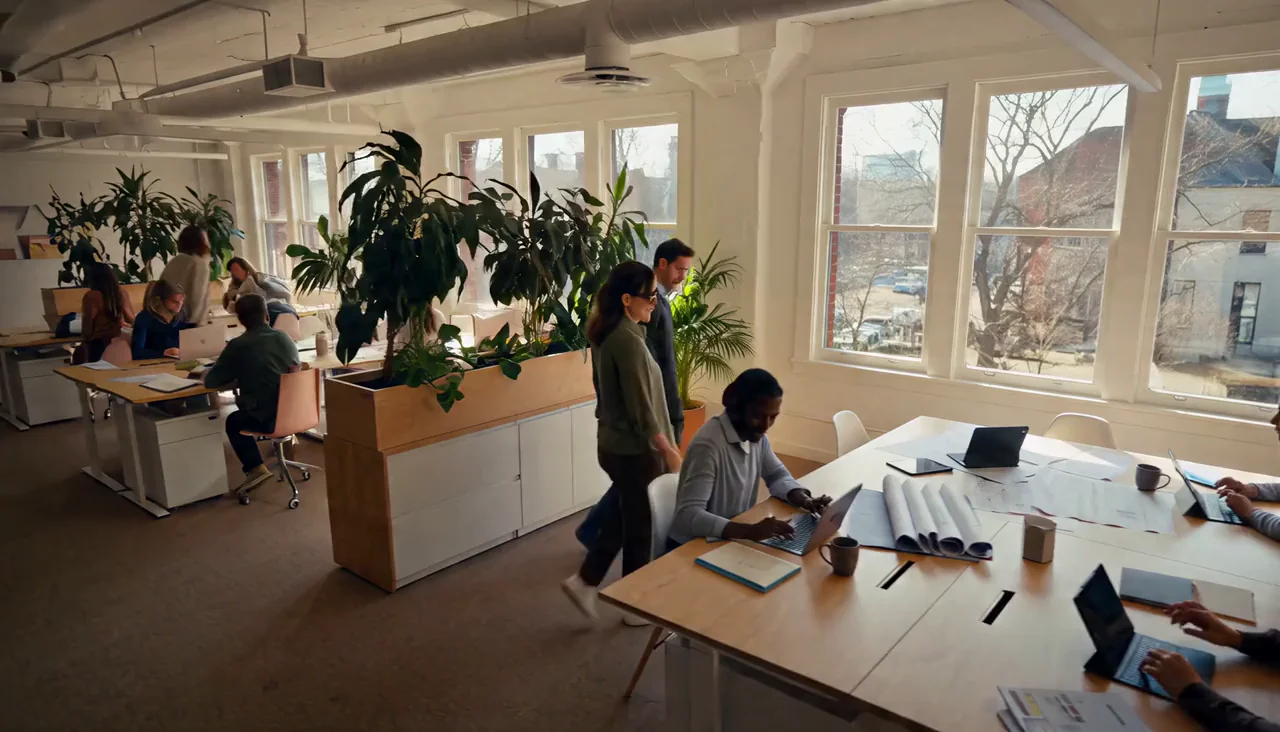
Generated with MiniMax H3. Candid framing reads as real culture; posed grids read as stock.
Prompt: A warm montage of a modern workplace, small teams collaborating at bright desks, sunlight through tall windows, natural documentary style, gentle motion, no words or text anywhere
Leadership Message:
Keep spoken lines short, around a dozen words each, and split a longer script into separate quoted lines with an action beat between them.
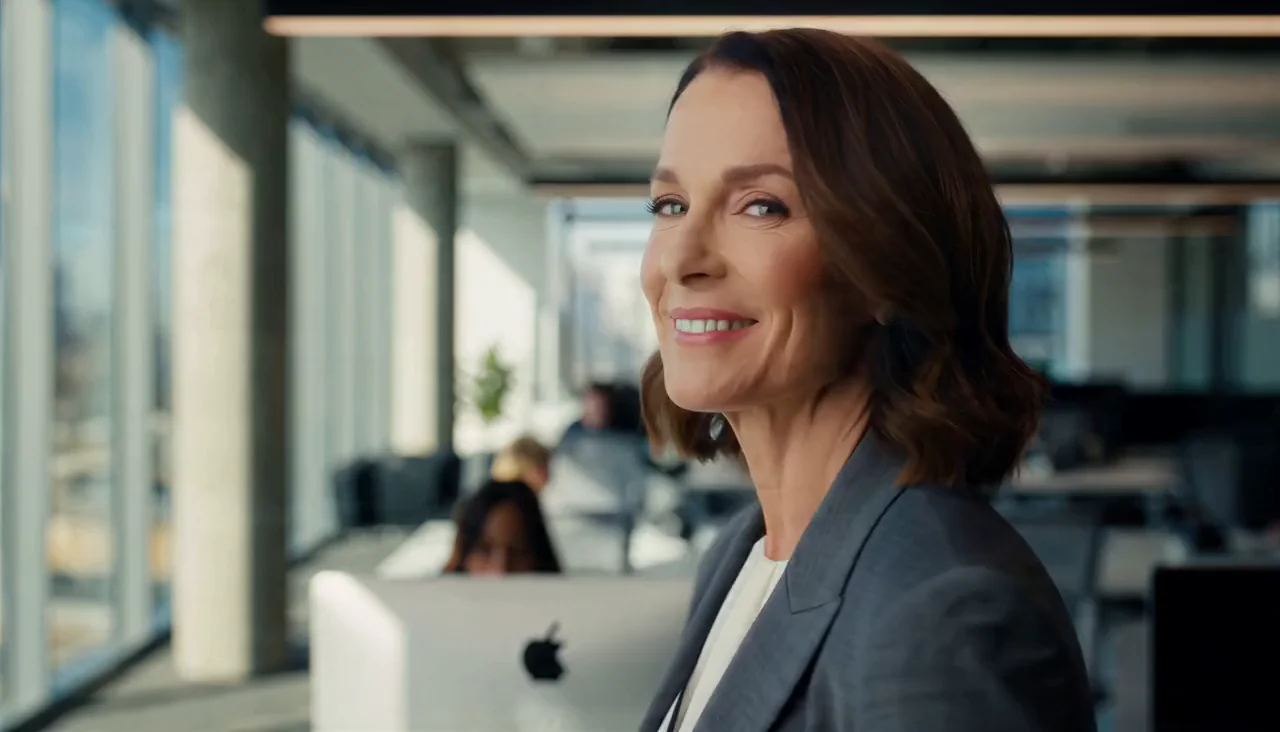
Generated with MiniMax H3, voice included. Tap for sound.
Prompt: A leader in a bright modern office speaks directly to camera, medium close-up, soft window light, calm and sincere tone. She says: "This quarter we grew faster than we planned."
Recruitment and Employer Brand:
An inviting look at a diverse team at work, candid moments of focus and collaboration, a bright open office with plants and natural light, optimistic and grounded mood, smooth slow push-in, no on-screen text
Announcement Backdrop:
A clean abstract background for a company announcement title card, soft gradient in calm blue and slate tones, slow drifting geometric shapes, minimal and professional, no words anywhere, subtle floating motion
✅ Best Practices for Corporate Communication Videos
Small choices make a big difference in how a corporate video lands.
- Lead with the message: Open on the point your audience cares about, so they stay for the detail instead of clicking away.
- Keep it human: A real voice and a genuine tone build more trust than a polished script that sounds like a press release.
- One idea per scene: Keep each shot focused on a single point, and let the sequence build the full message.
- Design for sound off: Add captions and on-screen text in your editor so the message lands even when the audio is muted.
- Reuse your own look: Carry the same colors, motion, and tone across your videos so your communications feel like they come from one place. You control those choices in your prompts and edits.
- Respect accessibility: Provide captions and a plain-text summary so every employee can follow along, whatever their setup.
- End with one clear action: Tell viewers exactly what to do next, whether that is read the full update, apply, or reply with questions.
🌟 Why Make Corporate Videos on Ambience AI
Ambience AI brings image, video, and audio generation together in one creative workspace, so a communications team can build a complete corporate video without juggling separate apps. You describe what you want, our assistant expands your prompt, and the platform handles the heavy lifting.
That makes Ambience AI a practical option for teams that need professional results on a real schedule and a sensible budget. You can start free, test a message quickly, and scale up only when the format proves its worth. See the pricing page for full plan details, and browse community creations for inspiration.
🔗 More AI Tools and Guides for Corporate Video
Round out your corporate video workflow with the rest of the Ambience AI toolkit.
- AI Video Generator: Create short clips from text prompts or images.
- AI Explainer Video Maker: Turn a process or a product into a simple animated explainer.
- AI Promo Video Maker: Build short, punchy videos for careers pages and announcements.
- AI Story Video Maker: Stitch a multi-scene message with narration and music.
- AI Image Generator: Create title cards, backdrops, and stills to animate.
- AI Audio Generator: Add voiceover and music for a professional finish.
- Step-by-Step Guide to AI Training Videos: Apply the same workflow to onboarding and internal training.