Flux 2 Pro vs Flux 1.1 Pro: Model Comparison
Blind A/B comparison of Flux 2 Pro vs Flux 1.1 Pro on ambient AI images. See real image pairs, methodology, and why Flux 2 Pro won 67% of tests.
When Black Forest Labs released Flux 2 Pro in November 2025, the headline improvements sounded promising: better prompt adherence, improved lighting, and sharper textures. But claims are easy to make. Before switching the model that powers every image on Ambience AI, we needed to see the evidence for ourselves.
This post walks through the blind A/B comparison we ran between Flux Pro 1.1 and Flux 2 Pro, including the actual image pairs from our evaluation.
🔬 Why We Tested Flux 2 Pro
Ambience AI creators generate thousands of ambient scenes every week: cozy cabins, misty forests, rain-streaked coffee shops, candlelit interiors. When we upgrade a model, the new output has to be better for these specific use cases, not just better on generic benchmarks.
Flux 2 Pro is built on a 32-billion parameter latent flow matching transformer that couples a Mistral-3 24B vision-language model with a rectified flow transformer. The VLM handles real-world knowledge and contextual understanding, while the flow transformer models spatial relationships, material properties, and compositional logic. That architecture should, in theory, produce more coherent and detailed scenes.
We needed to verify that theory held up in practice for ambient imagery.
🎯 Our Blind A/B Testing Methodology
We designed our comparison to eliminate bias and produce results we could trust:
Test Design
- Same prompts, same seeds: Both models received identical prompts and random seeds. This ensures any difference in the output is due to the model, not the input.
- Randomized display order: For each prompt pair, the display order was randomized. Sometimes the current model appeared on the left, sometimes on the right. The reviewer never knew which model produced which image until after scoring.
- Independent scoring: Each output was scored on quality, prompt adherence, and artifacts before model identities were revealed.
- Ambient scene focus: We selected prompts covering the scene types our creators generate most: cozy interiors, natural landscapes, atmospheric urban environments, and peaceful outdoor settings.
Prompt Selection
Each prompt was detailed and specific, including camera specifications and lighting descriptions to test how well the models handle professional-grade creative direction. We sourced prompts from real production patterns on Ambience AI, focusing on scenes with complex lighting, rich textures, and atmospheric depth.
📊 Results: Flux 2 Pro Wins ~67% of Comparisons
Across our blind review, Flux 2 Pro won roughly two-thirds of the comparisons. The wins were not marginal. In the comparisons Flux 2 Pro won, the improvements in lighting, texture, and atmospheric quality were immediately visible.
Here are four comparisons from our evaluation that illustrate where the differences are most pronounced.
Comparison 1: Cozy Cabin at Evening
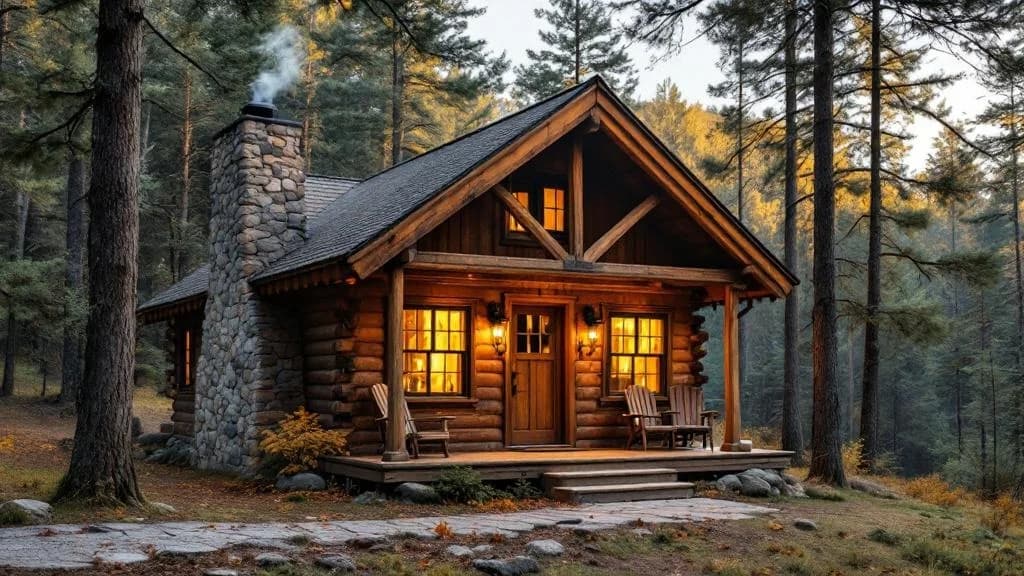
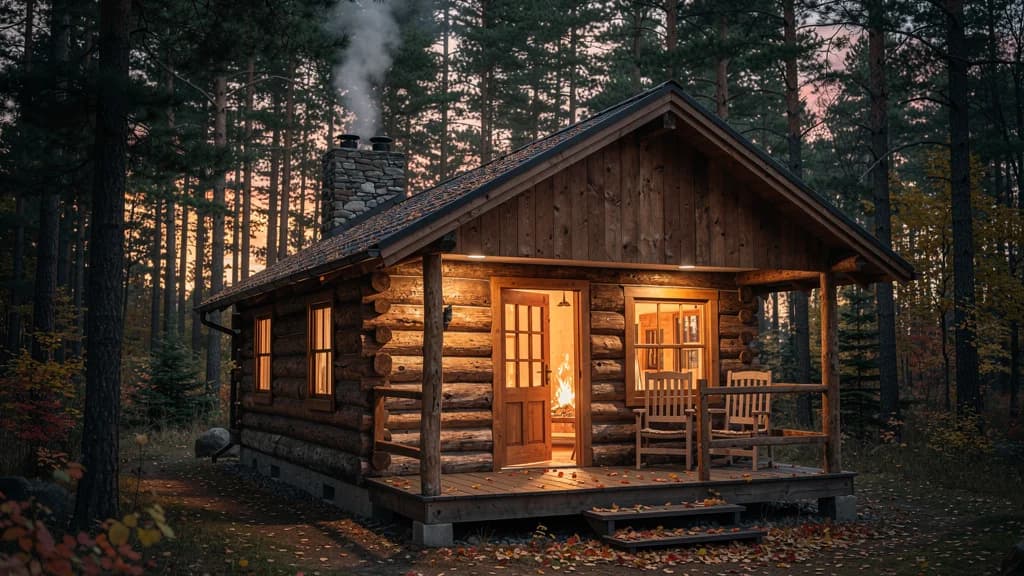
Prompt: A cozy wooden cabin nestled in a peaceful forest setting, warm golden light glowing from windows, stone chimney with gentle smoke rising, surrounded by tall pine trees, soft evening light filtering th...
Flux 2 Pro renders more natural light falloff from the cabin windows. The wood textures on the exterior are more detailed, and the interplay between warm interior light and cool evening atmosphere is more convincing.
This is the type of scene our creators generate most often. The improvements in warm lighting and natural material rendering are exactly what matter for ambient imagery.
Comparison 2: Rainy Coffee Shop Interior
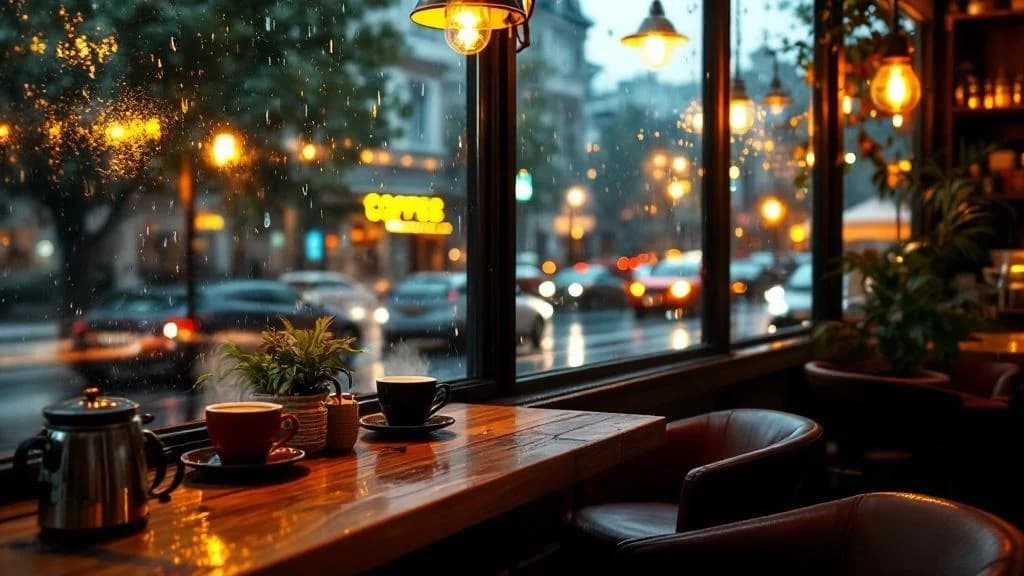
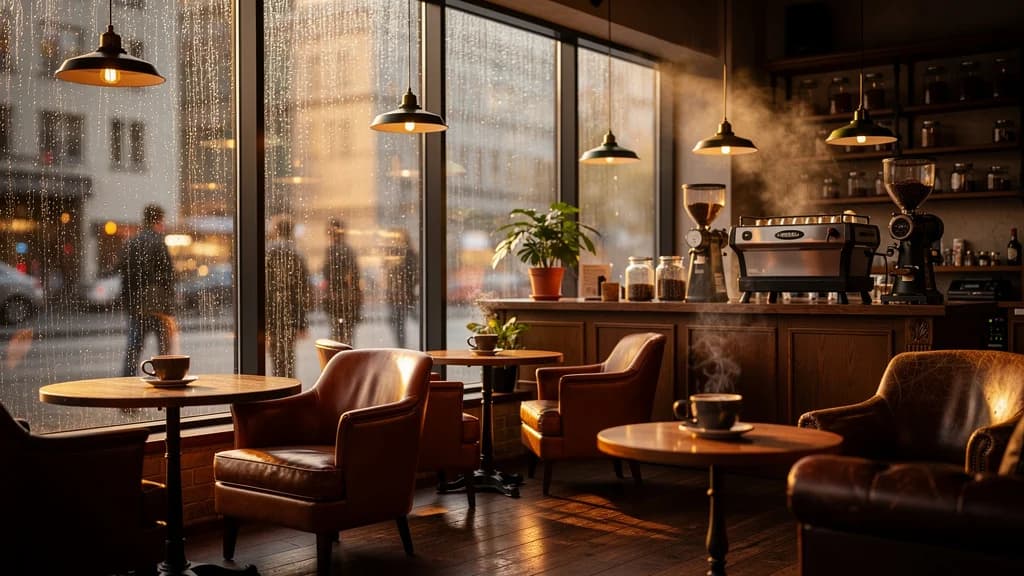
Prompt: Cozy coffee shop interior on a rainy day, warm ambient lighting from pendant lamps and window light, rain droplets streaming down large windows, steaming coffee cups on wooden tables, soft leather cha...
The mixed lighting is where Flux 2 Pro pulls ahead. The warm pendant lamp light blending with cool daylight through the rain-streaked windows creates a more natural atmospheric gradient. Leather and wood textures are more convincing.
Interior scenes with multiple light sources are notoriously challenging for image generation models. Flux 2 Pro handles the warm-cool lighting mixture with greater realism, which is critical for the cozy interior scenes that define the Ambience AI experience.
Comparison 3: Foggy Mountain Lake at Dawn
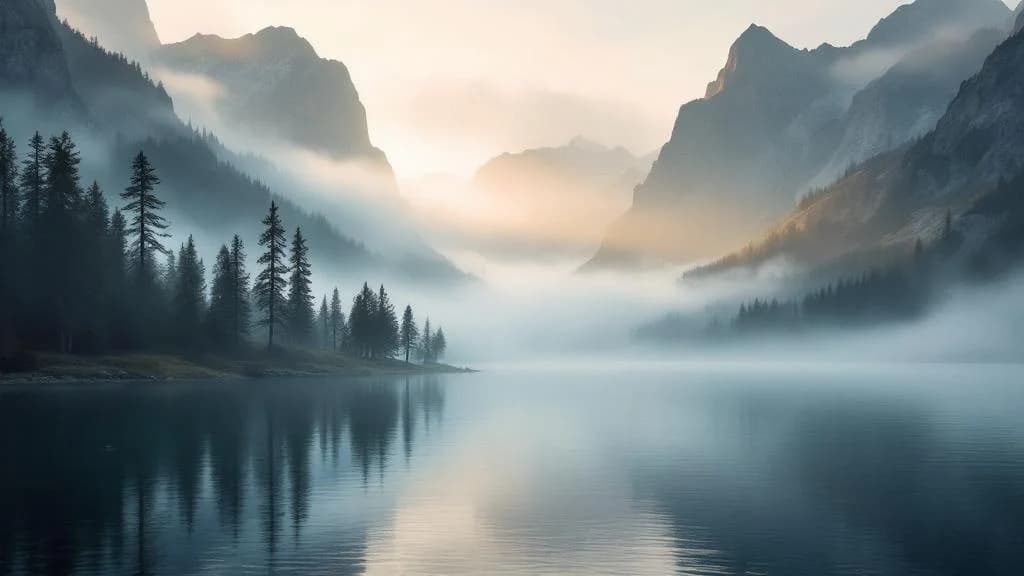
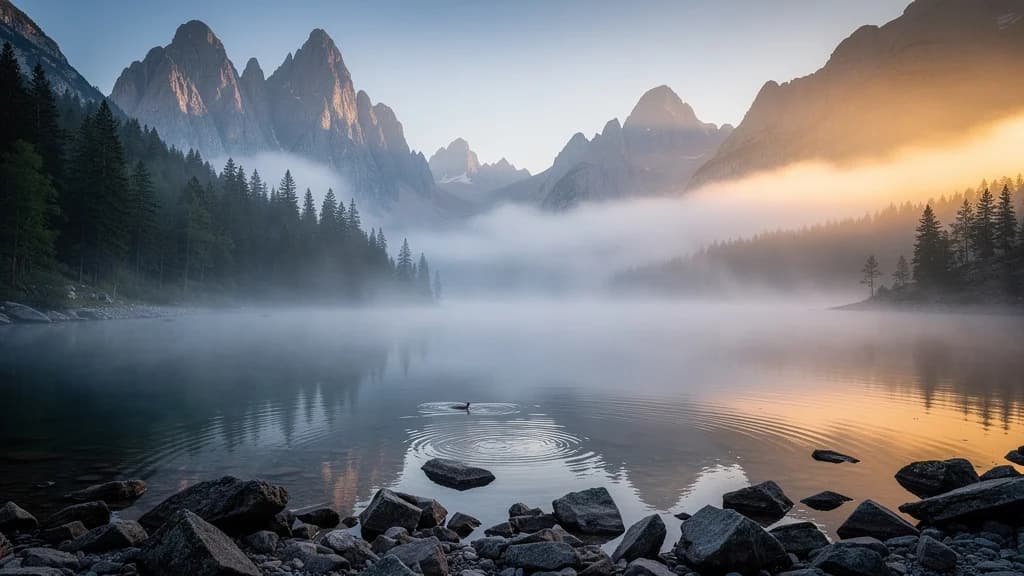
Prompt: Serene mountain lake surrounded by towering peaks, thick morning fog rolling across the water surface, misty atmosphere with soft diffused light, pine trees along the shoreline partially obscured by f...
Fog and mist rendering is noticeably improved. Flux 2 Pro produces more natural atmospheric depth, with fog layers that interact convincingly with the diffused morning light. The water reflections are cleaner and more coherent.
Landscape scenes with atmospheric effects test a model's ability to render depth and diffused lighting. Flux 2 Pro's improved handling of fog, water reflections, and light scattering results in landscapes that feel more three-dimensional.
Comparison 4: Japanese Garden in Golden Hour
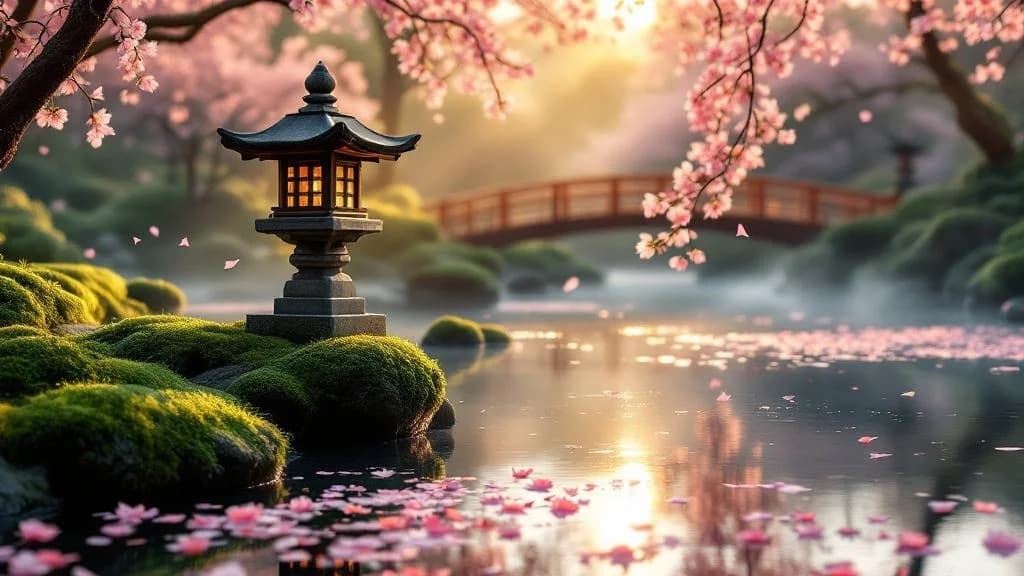
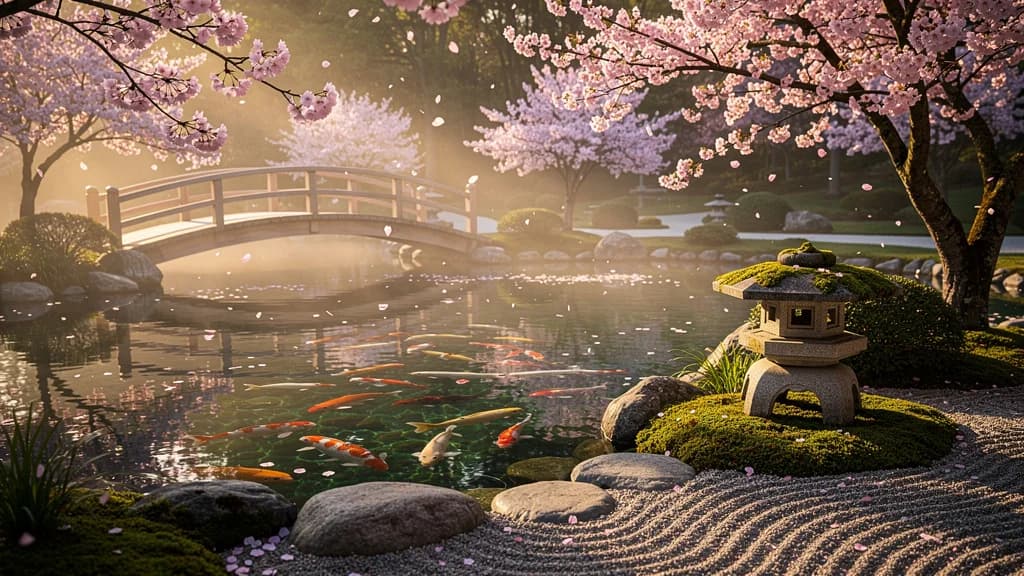
Prompt: A serene Japanese garden with a koi pond, cherry blossoms falling gently, golden hour lighting, traditional stone lantern, wooden bridge over still water, peaceful zen atmosphere, soft pink petals flo...
This complex scene tests spatial coherence, color depth, and the ability to render many distinct elements. Flux 2 Pro maintains better spatial relationships between the bridge, pond, lantern, and trees while producing a richer and more balanced color palette.
Scenes with many distinct elements (bridge, pond, lanterns, trees, blossoms, moss) stress-test a model's compositional abilities. Flux 2 Pro's vision-language model backbone seems to help here, producing more spatially coherent arrangements.
✨ Where Flux 2 Pro Excels
Looking across all comparisons, the improvements cluster around four areas:
- Lighting and atmosphere: More natural light falloff, better handling of golden hour, diffused light, and mixed indoor/outdoor lighting. This was the single biggest improvement.
- Material detail: More convincing textures on wood, fabric, stone, leather, and natural surfaces like moss and water.
- Scene coherence: Better spatial relationships between objects, especially in complex scenes with many elements.
- Color depth: Richer tonal range in both warm and cool color palettes, with more natural color transitions.
These improvements align with what Black Forest Labs describes as the benefits of coupling the Mistral-3 VLM with the flow transformer. The VLM's real-world knowledge of materials, lighting physics, and spatial relationships translates directly into more realistic imagery.
🤝 Where the Models Were Comparable
In about a third of comparisons, the outputs were too close to call or Flux Pro 1.1 matched the quality. These tended to be:
- Highly stylized scenes: Art deco, vintage poster aesthetics, and other heavily stylized compositions where photorealism mattered less.
- Simple compositions: Scenes with fewer elements and more constrained palettes, where both models had enough capacity to produce strong results.
- Specific constrained palettes: Prompts that specified very narrow color ranges, limiting the room for the model's color depth advantage to show.
💡 What Flux 2 Pro Means for Creators
The upgrade is live and automatic. If you've been creating images on Ambience AI, you're already getting Flux 2 Pro quality. The price hasn't changed. See our pricing page for current credit costs.
The improvements are most noticeable for:
- Ambient scenes and landscapes: The core use case where Flux 2 Pro was strongest in our testing.
- Interior photography prompts: Rooms, studios, and cozy spaces look more realistic with better lighting and material rendering.
- Atmospheric conditions: Fog, dawn light, golden hour, rain, and moody scenes all benefit from the improved atmospheric rendering.
For the full announcement and getting-started guide, see Flux 2 Pro Is Now Available on Ambience AI.
🎨 Try Flux 2 Pro Free
The best way to see the difference is to create something. Head to our AI Image Generator and try one of these ambient scene prompts:
A cozy wooden cabin nestled in a peaceful forest setting, warm golden light glowing from windows, stone chimney with gentle smoke rising, surrounded by tall pine trees, soft evening light filtering through branches
Old library with floor-to-ceiling bookshelves, warm lamp casting golden light on reading desk, dust motes floating in air, leather chair, peaceful afternoon atmosphere
Misty forest at sunrise, light filtering through tall trees, fog rolling between trunks, dew on ferns, ethereal peaceful atmosphere
🔗 More AI Image and Video Tools
Ready to explore beyond image generation? Check out our full suite of creative tools:
- AI Image Generator: Create images with Flux 2 Pro and GPT-Image-1
- Flux Prompt Guide: Tips, examples, and best practices for Flux prompts
- Best AI Image Tools: Compare AI image generation tools
- Explore Community Creations: See what creators are generating with Flux 2 Pro